Posts

Showing posts with the label Windows Desktop

Friendly Visual Studio dialog - Presenting errors with good UX
Image
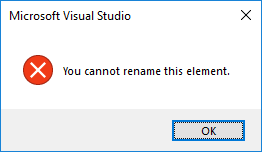
A friendly  Visual Studio  dialog Microsoft have a mixed history of reaching and maintain UX standards. Although admittedly the standards have risen greatly in the last 2 decades in particular, partly due to the increase in raw CPU and video of typical devices, there were early bad signs with for example the MSDOS prompt and its appalling BAT script environment, compared to the contemporary UNIX OS. Here, Visual Studio has some kind of generic error message, with a horrid modal (blocks all user input) dialog and a matchingly horrid design. Yuk, indeed.

Windows Vista - reproducing 56.81 Shakespeares... - Operating Systems are complex and will always have bugs

Image
Windows has been around for quite a bit, and been thru several revisions. The Vista edition, like the Concord, looked impressive, but at times had difficulty flying. Here Vista is trying to show some volume controls (with a pretty basic hardware setup), and running into some difficulties: What causes this bug - who knows, and I suppose, who cares. Some kind of erroneous while condition, which can cause any imperative program to enter an inefficient, repetitive  state. Given the complexity of a piece of software such as Windows Vista (50 million lines of source code!). To put this in perspective, and at risk of comparing the art of C++ programming to that of 16th century literature (though at least in terms of age and fragility, there may be parallels), the entire works of the Great Bard (he of Hamlet) number 0.88 million lines. So we may reason that Windows Vista could have been composed by 56.81 Shakespeares.

Windows, Windows 10 and disk fails - Advantages of the Linux file system over Windows

Image
Down through the years, it is unfortunate but true that any diehard Windows user will have experienced a serious disk failure. While it is true that like any mechanical device, disks are prone to occasional error, and like everything in this universe, eventual decline unless work is done, there are fundamental reasons why the Windows Operating System is more prone to disk issues that Linux based systems. Given the same hardware, and allowing for different flavours of Linux and file systems, generally Linux disk systems tend to be better performant and more reliable: - Linux filesystem avoids fragmentation, where the free space of a disk becomes broken up over time into smaller parts, and then newer large files must be broken apart in order to fit into the free space. Fragmented drives tend to perform more slowly, and defragmenting is a slow process. - Linux seems to make better use of caching, where file contents is read and written in memory (the very fast, volatile storage of a compu...

Visual Studio: Team Exploder - Error Handling: Fail early, fail safe

Image
Team Explorer is/was a part of Visual Studio IDE (a tool used by Windows-based application developers). This part involved retrieving and committing source code to remote source control systems, mainly Microsoft's Team Foundation Server (TFS). TFS is not a new acronym, and one of its older, colonial-days meanings was Tropical Fatigue Syndrome, the effects of which would be familiar to any unfortunate developer as they struggled with various Team Server errors: Why these errors are displayed at all to the user, is basically to halt the dumb imperative program in its tracks , before it can do more damage. Why would damage be done to the user's precious data? The dumb, command-following program has hit an unexpected, not-designed-for problem, and were it to continue, its behavior is, like a beautiful Porsche stolen by an insane criminal mastermind,  actually completely undefined. Not even the coders who originally built the software would know what exactly would happen next! ...

Visual Studio - the Case for Catastrophic Failure! (Error handling: Fail early, fail safe)

Image
Visual Studio, that erstwhile desktop development tool used by millions of Windows based developers since the late '90s, has been through many a revision. Unfortunately, like any complex piece of software, some of these interesting and progressive revisions also involved the odd regressive bug, where the tool hit an unexpected state that it cannot handle. Words fail to describe     Catastrophic failure! Catastrophic indeed! In classic application developed software, handling 'undefined' situations that are not expected, leads to undefined behavior, where no one really knows how the system will continue to behave. Such situations pose a danger to any data involved, such as documents that the user is editing, since at the very least, the user may lost their current unsaved changes. Worse, if the program continues its imperative path (where the computer is blindly following instructions given by the original authors of the software), then the data may actually become corr...

Tenrox? Un-handled errors in application software - a UX and Quality challenge

Image
Tenrox in a former incarnation was a rather primitive website with a decidedly built-by-desktop-coders feel. It did work, but was difficult to use, and so like many a functionally correct product, did not gain the enthusiasm of its users that any product supplier would desire. The title of the software - Tenrox - made this situation additionally uncomfortable for its long suffering users... Unfortunately, the user issues were not confined to usability: there were also occasions of unexpected errors: Although this dialog is ugly, in case of un-handled errors it can actually be catastrophic failure may be the best thing to do. This is to avoid data loss, data leakage, unauthorized access and other unexpected behavior. Today, Tenrox . com is marketed "a cloud based project management software that helps you plan and schedule your projects track time and expenses" - already sounds better!

Outlook: Today, Today, Yesterday. Today ... - Application Quality as a Trade-off with Functionality (Productivity)

Image
Microsoft software, despite unfortunate products such as the CMD line envrionent (no-one who has switched to Unix or bash-on-Windows has ever complained!) - generally have high quality, considering the sheer range of hardware supported, the different product lines and their generations, and the millions of users, it is somewhat impressive that it mostly works. However, there is the odd slip-up which we helpfully point out in these pages: Timeless messages from classic code Like any engineering endeavor, there are trade-offs between cost and value, and so quality can at times suffer...

null++ and its alternatives - NULL as an anti-pattern and some alternatives - stateless functional code

Image
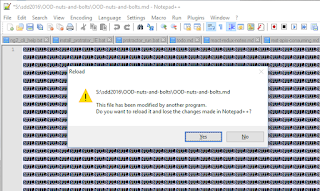
  Notepad++ is a great and free text editor with many practical features, such as line-sorting, multi-file and directory find-and-replace, and excellent encoding support. However, programming is hard, and even the noble Notepad++ has been caught off guard in the war on bugs:  To NULL or not to NULL... A display full of NULLs is not that desirable, but on the other hand is better than random, uninitialized data, or worse, reading beyond assigned buffers into memory regions containing data this user is not supposed to see.  The history of NULL is a controversial one: it was, somewhat like JavaScript, cheap to implement at the time and seemed a good idea. However, notoriously, even the inventor of NULL considers the invention to be a mistake . At first glance, and when used in a very limited scope, NULL seems a sensible construct: a global kind of default 'this is not set' value, that is reliably detectable, as opposed to some random memory garbage. Issues arise when the NU...

Lync - wait 15 minutes - Error handling, UX and automatic software updates: a bad example

Image
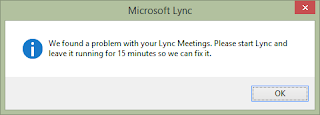
Not all issues are bugs, and not all issues take a long time to fix. Consider this example from Microsoft Lync (the posh Skype): Be right back... Unlike many other application boo-boos exemplified in this series, this one is a bit hard to explain. The message does admit there is a problem, and this is a modal dialog (absorbing all user input and so blocking any other part of the application from processing any new user actions). So, on the face of it, this appears an example of catastrophic failure . However, reading further through the message, we see that the user has a rather specific task to perform: restart and leave it running for 15 minutes . Restart does seem a little unfortunate and casual: we don't quite know what the problem is, but in fact we DO know the software is, like your aunt Wilma's old car, a bit unreliable, and just needs a bit of a kick and another try every now and then. Admitting to unreliability is unfortunate, yet the honesty is to be commended - hop...